A coffee maker that will not turn on can quickly ruin your morning routine. In most cases, the problem is not serious. Common causes include loose power connections, an empty water reservoir, mineral buildup, a damaged thermal fuse, or faulty internal components.
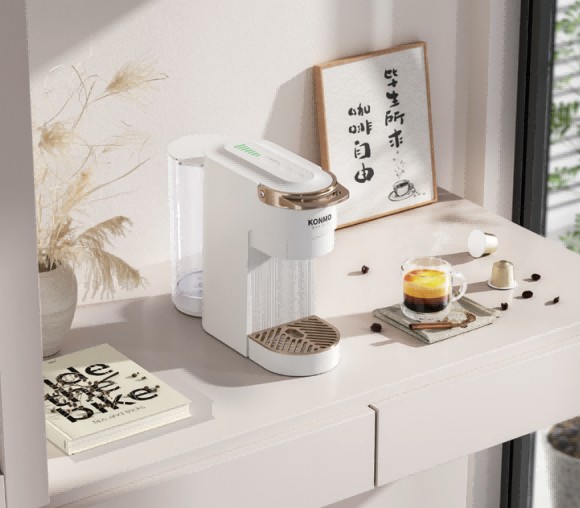
For home users, modern machines like the KONMO Home Espresso Coffee Machines include multiple safety systems that automatically stop the machine when something is wrong. Understanding these protection features can help you troubleshoot the issue faster and avoid unnecessary repairs.
Key Takeaways
- Always unplug the coffee maker before inspection or cleaning.
- Check the wall outlet and power cord before opening the machine.
- Make sure the water reservoir and filter are installed correctly.
- Descale the coffee maker every 1–3 months to reduce internal damage.
- Contact professional support if you notice burning smells or electrical issues.
Why Your Coffee Maker Won’t Turn On
Common Power Problems in a Coffee Maker
Power supply issues are one of the most common reasons a coffee maker fails to start. First, test the wall outlet using another device such as a phone charger or lamp. If the outlet does not work, check the circuit breaker.
Voltage fluctuations and loose wiring can also damage internal electronics over time. Sudden power spikes may affect the control board, heating system, or thermal fuse inside the machine.
For safety, always unplug your coffee maker before checking the cord or outlet.
Water Reservoir and Safety Lock Issues
Many modern coffee makers will not operate unless the water tank is installed correctly. Some espresso machines use safety sensors that stop brewing when the reservoir is empty, loose, or improperly positioned.
Check that:
- The water tank is filled above the minimum line
- The reservoir clicks firmly into place
- The filter basket is installed correctly
On some capsule and espresso models, sensor blockage caused by scale buildup may also prevent startup.
Internal Fuse or Heating System Failure
Coffee makers use thermal fuses and thermostats to prevent overheating. If the thermal fuse blows, the machine may show no lights, sounds, or heating response.
This problem is more common in machines that:
- Run for long periods without cleaning
- Experience repeated overheating
- Use hard water without regular descaling
Most home users should avoid opening internal electrical components themselves. If basic troubleshooting fails, contact the manufacturer or a repair technician.
Control Board or Button Malfunctions
The control board manages power distribution, temperature, and brewing functions. If the board fails, the coffee maker may become completely unresponsive.
Common warning signs include:
- Buttons not responding
- Flashing lights or error indicators
- Burning plastic smell
- Machine shutting off unexpectedly
Sticky coffee residue around buttons can also affect switch performance. Cleaning the control panel regularly helps prevent long-term damage.
Coffee Maker Troubleshooting Steps
Check the Power Source and Wall Outlet
Start with the simplest inspection. Plug another appliance into the same outlet to confirm power supply. Then reconnect the coffee maker securely.
Avoid using extension cords or overloaded power strips, as unstable voltage may interrupt startup.
Inspect the Water Reservoir and Filter Position
Remove and reinstall the water tank carefully. Make sure the filter basket and drip tray are fully aligned. Some machines automatically disable brewing when accessories are not positioned correctly.
Test the Coffee Maker Power Cord and Plug
Inspect the power cord for:
- Fraying or cuts
- Burn marks
- Loose plug connections
- Bent pins
If the cord feels unusually hot during use, stop using the machine immediately.
Reset the Coffee Maker Properly
Many coffee makers can recover from temporary system errors with a reset.
Follow these steps:
- Unplug the machine
- Hold the power button for 5 seconds
- Wait 30 seconds
- Plug the machine back in and restart
This process helps clear residual electrical charge from the control system.
Examine Coffee Maker Buttons and Switches
Dirt, moisture, and coffee oils can affect button sensitivity over time. Use a dry microfiber cloth to clean around the controls.
If buttons feel loose or fail to respond consistently, internal switch damage may require professional repair.
Look for Warning Lights or Error Indicators
Some coffee makers display warning symbols for:
- Water shortage
- Overheating
- Descaling reminders
- Grinder blockage
Refer to the user manual for the meaning of specific indicators. Machines with complete power loss may have a blown thermal fuse.
How to Repair a Coffee Maker That Has No Power
Check the Coffee Maker Thermal Fuse
The thermal fuse protects the machine from overheating. If it trips, the coffee maker may stop working completely.
Before testing:
- Unplug the machine
- Let it cool for at least 30 minutes
- Clean ventilation areas to improve airflow
If the fuse is damaged, replacement is usually required.
Inspect the Coffee Maker Heating Element
The heating element controls brewing temperature and steam generation. Signs of failure include:
- No heating
- Burning smell
- Weak brewing temperature
- Visible scorch marks
A multimeter can help confirm whether the element still has proper electrical continuity.
Test Internal Wiring and Connections
Loose internal wiring may interrupt power delivery. Look for disconnected connectors, melted insulation, or corrosion around terminals.
Electrical repairs should only be handled by experienced technicians.
Clean Mineral Buildup Inside the Coffee Maker
Mineral deposits reduce heating efficiency and place extra strain on internal components.
To descale:
- Add descaling solution and water to the reservoir
- Run one brewing cycle
- Let the solution sit for 15–20 minutes
- Rinse with 2–3 cycles of clean water
For most households, descaling every 1–3 months helps maintain stable machine performance.
Coffee Maker Repair: DIY or Professional Service?
When You Can Fix a Coffee Maker Yourself
Simple issues such as dirty sensors, loose reservoirs, clogged filters, or reset errors can usually be solved at home.
Basic maintenance also extends machine lifespan and improves brewing consistency.
When a Coffee Maker Needs Professional Repair
Professional service is recommended if you notice:
- Burning smells
- Electrical sparks
- Repeated circuit breaker trips
- Internal water leakage
- Control board failure
Attempting complex electrical repairs without experience may create safety risks.
Coffee Maker Repair Cost vs. Replacement Cost
Minor repairs like replacing switches or thermal fuses are often affordable. However, older machines with multiple damaged components may cost more to repair than replace.
If your machine is over 5 years old and repairs exceed 50% of replacement cost, upgrading to a newer model is usually the better option.
Coffee Maker Warranty and Support Options
Check the Coffee Maker Warranty Coverage
Most coffee maker warranties cover manufacturing defects, replacement parts, and repair labor for a limited period after purchase.
Keep your:
- Purchase receipt
- Warranty card
- Product serial number
These documents help speed up warranty claims.
Contact the Coffee Maker Manufacturer Support Team
If troubleshooting does not solve the problem, contact the manufacturer directly.
The support team for KONMO Coffee Machines can help diagnose issues related to power systems, thermal protection, and internal components.
Find Replacement Parts for Your Coffee Maker
Always use compatible replacement parts designed for your specific model. Incorrect parts may damage the machine or affect brewing safety.
Reliable replacement components help maintain stable pressure, heating performance, and machine lifespan.
How to Prevent Future Coffee Maker Power Problems
Clean and Descale the Coffee Maker Regularly
Regular cleaning reduces stress on internal components and improves brewing efficiency.
Recommended maintenance:
- Clean the reservoir and drip tray weekly
- Descale every 1–3 months
- Wipe the control panel after use
Use the Correct Voltage and Power Supply
Always use the voltage listed in the user manual. Plug the coffee maker directly into a wall outlet instead of a power strip whenever possible.
Avoid Overheating and Electrical Damage
Do not leave the machine running for extended periods unnecessarily. Machines with automatic shutoff functions should be checked regularly to ensure they work correctly.
Store Your Coffee Maker Properly
Store the coffee maker in a dry, cool environment. Avoid bending the power cord or placing the machine near direct heat sources.
Most coffee makers that will not turn on have simple causes, such as power supply problems, improper reservoir placement, or scale buildup. Starting with basic troubleshooting can often restore normal operation within minutes.
Regular cleaning, proper voltage use, and routine descaling also help reduce long-term electrical and heating problems. For advanced repairs, professional support is always the safest option.
FAQ
Why does my coffee maker suddenly stop turning on?
The most common causes are power supply problems, a loose water reservoir, a blown thermal fuse, or internal overheating protection. In many cases, unplugging the machine for 30 seconds and restarting it can solve temporary system errors.
Can a clogged coffee maker cause power problems?
Yes. Heavy mineral buildup can block water flow and force the heating system to overwork. Over time, this may trigger automatic safety shutdown features or damage internal components.
How often should you descale a coffee maker?
Most manufacturers recommend descaling every 1–3 months. If you use hard water daily, more frequent cleaning may be necessary to protect the heating system and maintain brewing performance.
Is it safe to repair a coffee maker yourself?
Basic maintenance like cleaning, resetting, or checking the outlet is usually safe. However, internal electrical repairs involving wiring, heating elements, or control boards should be handled by qualified technicians.
Should you repair or replace an old coffee maker?
If the machine is more than 5 years old and repair costs exceed about 50% of a new model, replacement is often the more cost-effective option. Newer machines also provide better energy efficiency and safety protection.
Can using the wrong voltage damage a coffee maker?
Yes. Incorrect voltage can damage the heating element, fuse, or control board. Always use the voltage listed in the product manual and avoid unstable power supplies.
How can you prevent future coffee maker power issues?
You can reduce future problems by:
- Cleaning the machine regularly
- Descaling every 1–3 months
- Keeping the control panel dry
- Using a stable wall outlet
- Avoiding overheating from long idle operation
Proper maintenance helps extend the lifespan of both drip coffee makers and espresso machines.